

CostHarbor
Stop reading invoices by hand.
CostHarbor reads every supplier invoice, checks each line against what you paid before and files it, flags the price rises you’d miss, and keeps your costs, stock and till up to date. Your team gets those hours back.
Ask about the free cost audit, which covers your last 3 to 6 months of supplier invoices.
Step 1 of 4
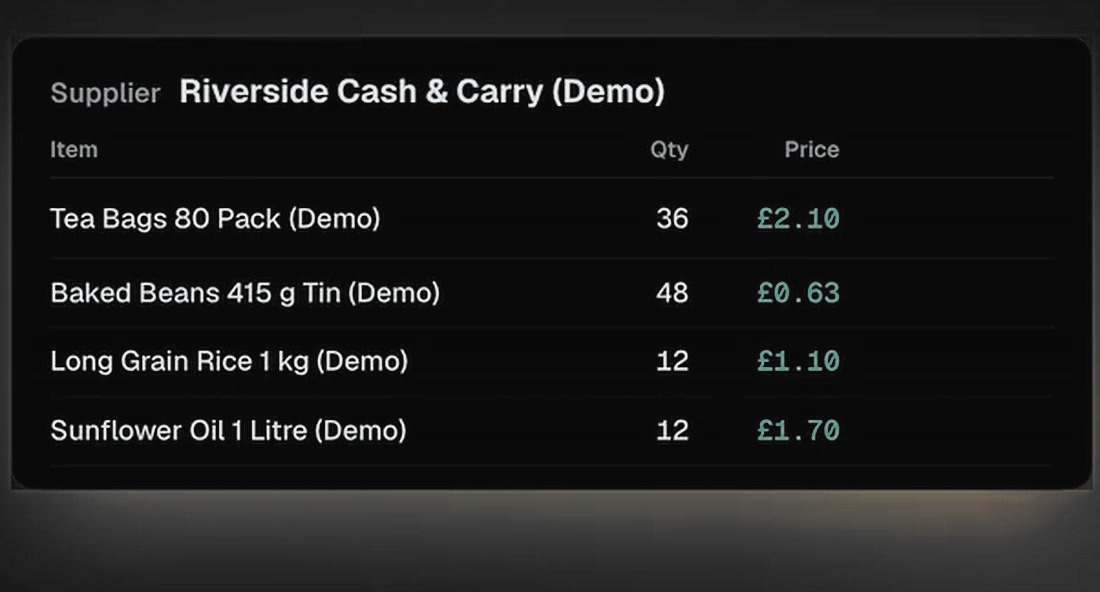
Every line is read
Send photos or PDFs of your supplier invoices. Items, quantities and prices are read for you, and nobody types anything.
Step 2 of 4
A price rise gets flagged
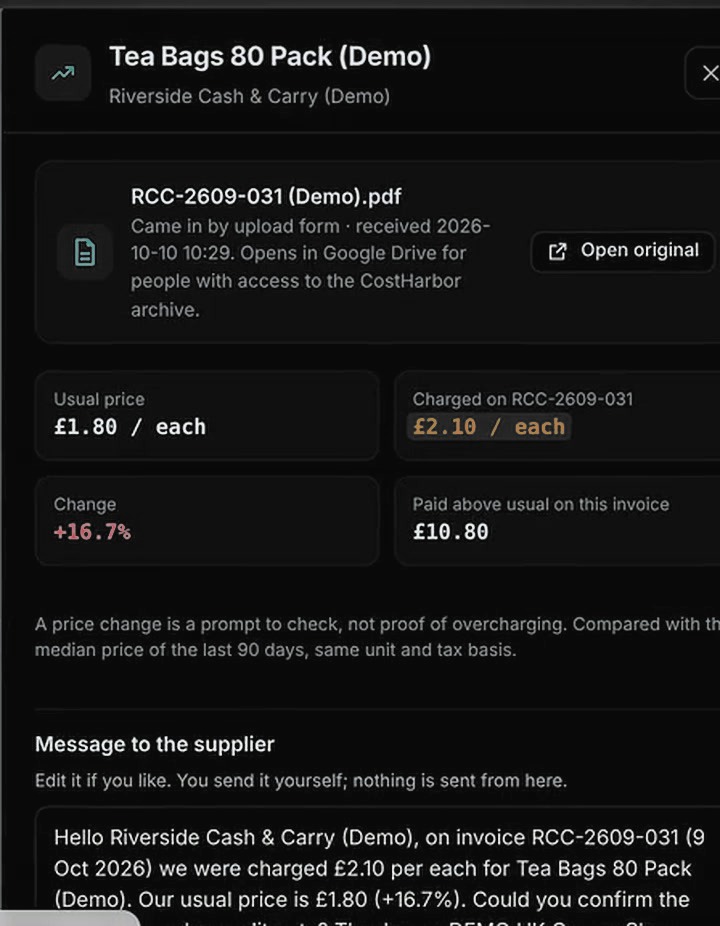
Each price is checked against the 90-day median for the same product, unit and tax basis. Rises of 10% or more are flagged, with a draft message to your supplier that you choose whether to send.
Step 3 of 4
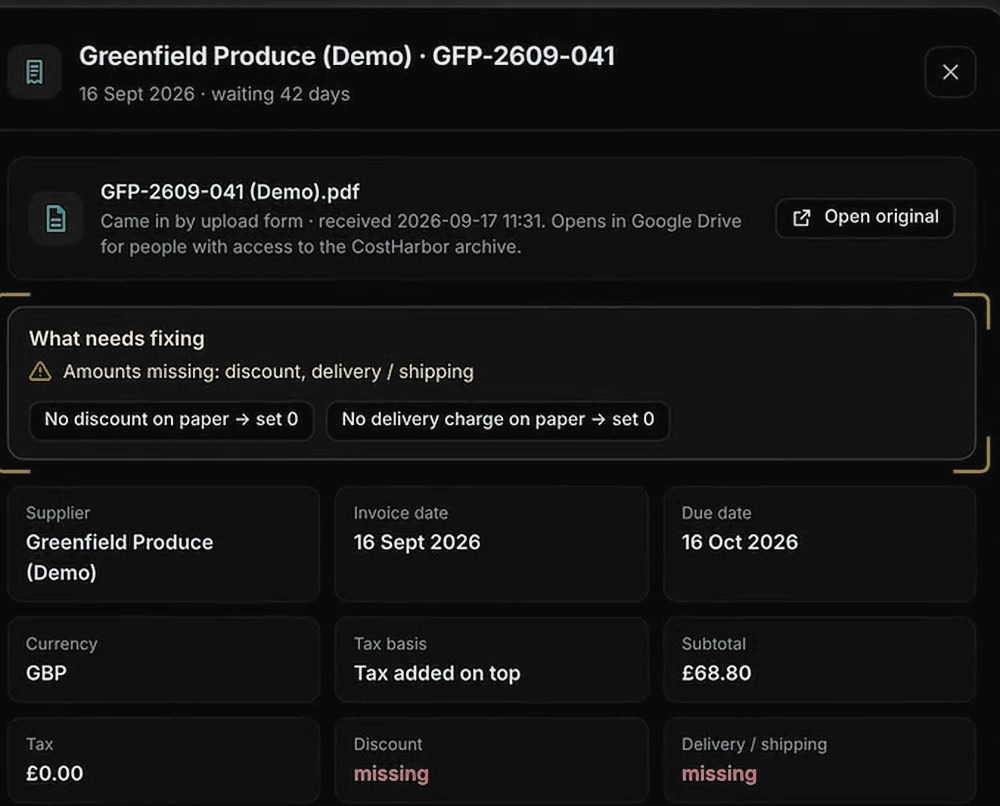
Unclear invoices go to a person
If an invoice is missing something or looks unclear, it waits for someone to check it against the paper and approve it.
Step 4 of 4
See it all in one place
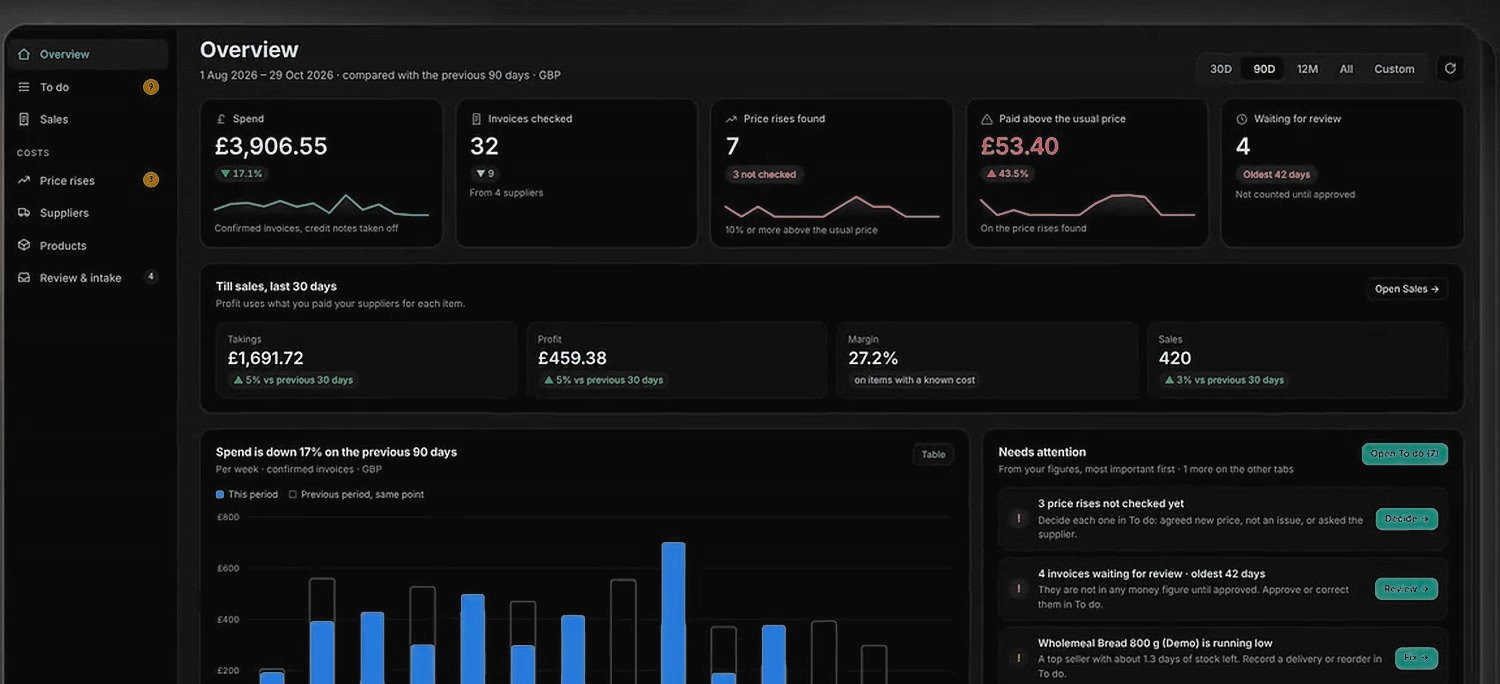
Spend, price rises, what you paid above the usual price and what’s waiting for review, in one view.
Everything it takes off your desk
Reads the whole invoice for you
Photos, PDFs, email, an upload form or a Drive folder. Supplier, invoice number, dates, totals and every line: product, quantity, unit price, tax, discount and delivery. Nobody types anything.
Checks every line
Each price is compared with what you paid over the last 90 days for the same product, unit and tax basis, so nobody has to dig through a register.
Flags price rises
Rises of 10% or more show the usual price, what you paid and the amount above usual, with a draft message to your supplier. You mark it agreed, not an issue or ask the supplier.
Finds more than price rises
The audit also covers possible double billing, totals that don’t add up and spend by supplier.
Catches the mistakes people make
The same file sent twice is counted once, unsupported files get a clear request to upload again, and unclear invoices wait for a person to approve them.
Gives your team one work list
Invoices to review, price alerts and sales or stock fixes, sorted by age or urgency, with two-step approval and a named decision log.
Keeps your stock up to date
Deliveries add stock and till sales take it away, with credit notes, shelf counts, damage and loss included. You get low-stock and days-left warnings, and reorder messages drafted for you.
Runs your till
Sell from a phone, tablet or computer with tap or barcode search. Record cash, card or transfer, add discounts, and share receipts by WhatsApp, copied text or a compatible printer. It records the payment method; it doesn’t process cards.
Shows your real margin
The latest supplier cost feeds profit and margin on each sale. When a rise cuts your margin, it flags it and suggests a new shelf price for the next sale.
Shows the whole business in one view
Spend, checked invoices, price rises, takings, profit and sale counts against the previous period, with ranked rises and spend by supplier.
Tells you what sold
A yesterday summary, best sellers by takings, profit and quantity, busiest hours, payment mix, and below-cost and low-stock alerts.
Fits how you sell
Wholesale prices, pack and case units, quantity discounts, GBP and other currencies, your local time zone and separate owner and staff access.
Keeps you informed
Emails cover invoices recorded, duplicates, reviews, approvals and a weekly summary.
Keeps it private
Invoices and originals stay private to your business, and nothing is ever sent to suppliers without you.
Follow one invoice through the system
Walkthrough preview with a fictional shop.
What this is costing you, and what it costs to fix
Put in your own numbers. See how many hours invoices take from your team, what that costs and which plan fits.
Questions
How much time will it save me?
It depends on how many invoices you handle and how long each takes now. Use the calculator above with your own numbers, and we’ll look at it with you on the demo.
Is a flagged price proof of overcharging?
No. It’s a prompt to check with your supplier. The report says so clearly.
What does the free audit need?
Your last 3 to 6 months of supplier invoices.
How do invoices get in?
Upload photos or PDFs, or send them by email.
Will it message my suppliers?
Never by itself. It drafts the message, and you decide whether to send it.
Does it replace my till?
It includes a till for phone, tablet or computer that records the sale and payment method. It doesn’t process card payments, you supply the hardware, and accounting or FBR connections aren’t confirmed, so ask us on the demo.
Is it a self-serve app?
Not yet. CostHarbor is in pilot and set up with you directly.